Hire crews that travel
How it works
Post a jobPost a job with the pay range and per diem
Title, location, the pay range and the per diem amount. A post can’t go up without both.
Applicants arrive with résumés
Job seekers apply with the résumé they keep on file here, their phone number, where they live and how far they’ll travel.
Review them in one screen
Mark each one Interested or Not interested. The résumé is one click away.
The employer dashboard
Applicant inbox
Every applicant for a job in one list, newest first. Anyone you haven’t opened is in bold, and tabs keep New, Interested, Not interested and Hired apart.
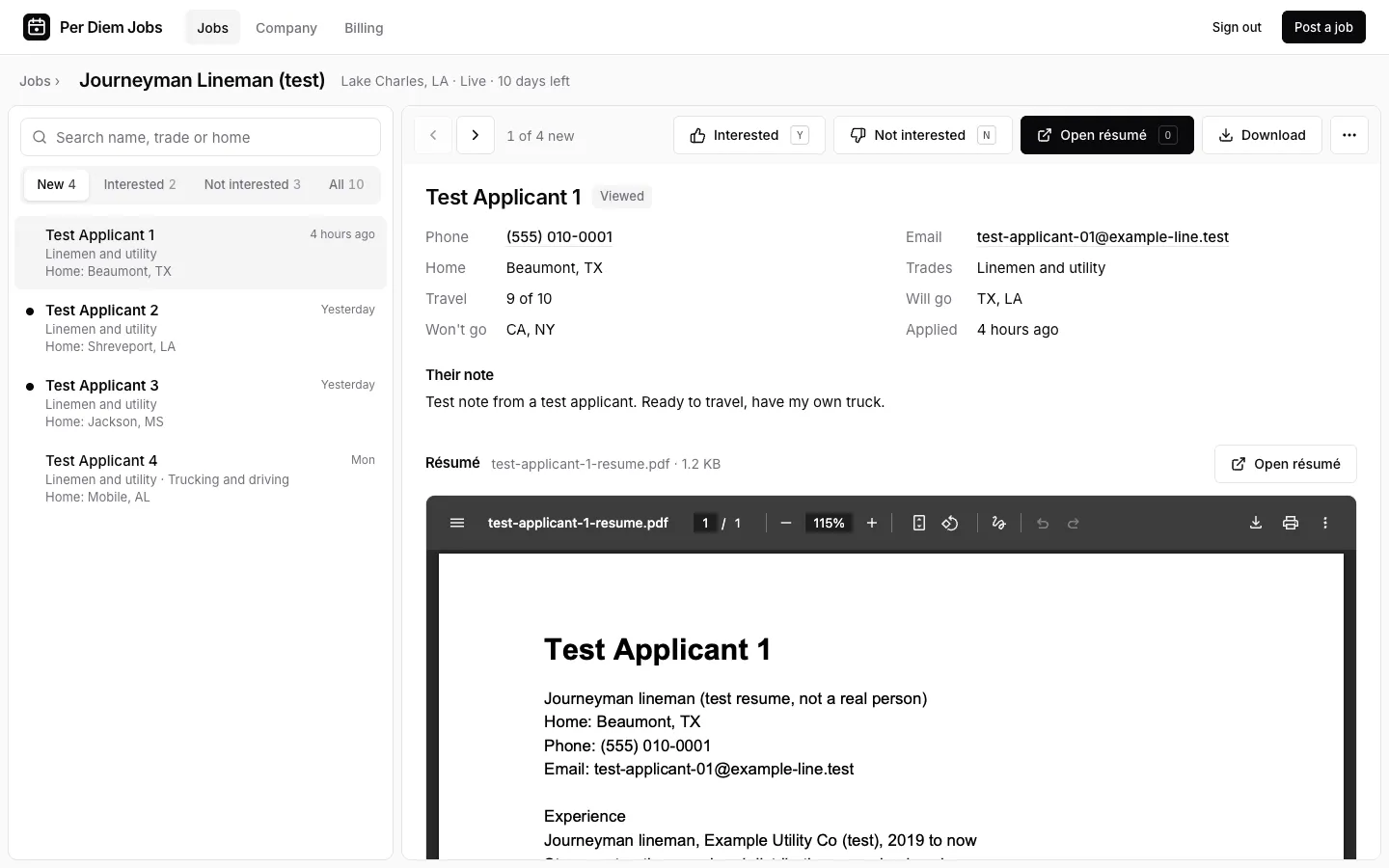
Résumé in one click
Open the résumé beside the applicant’s phone, home base and how far they’ll travel. PDFs open in the browser; Word files open as a readable copy or download as sent.
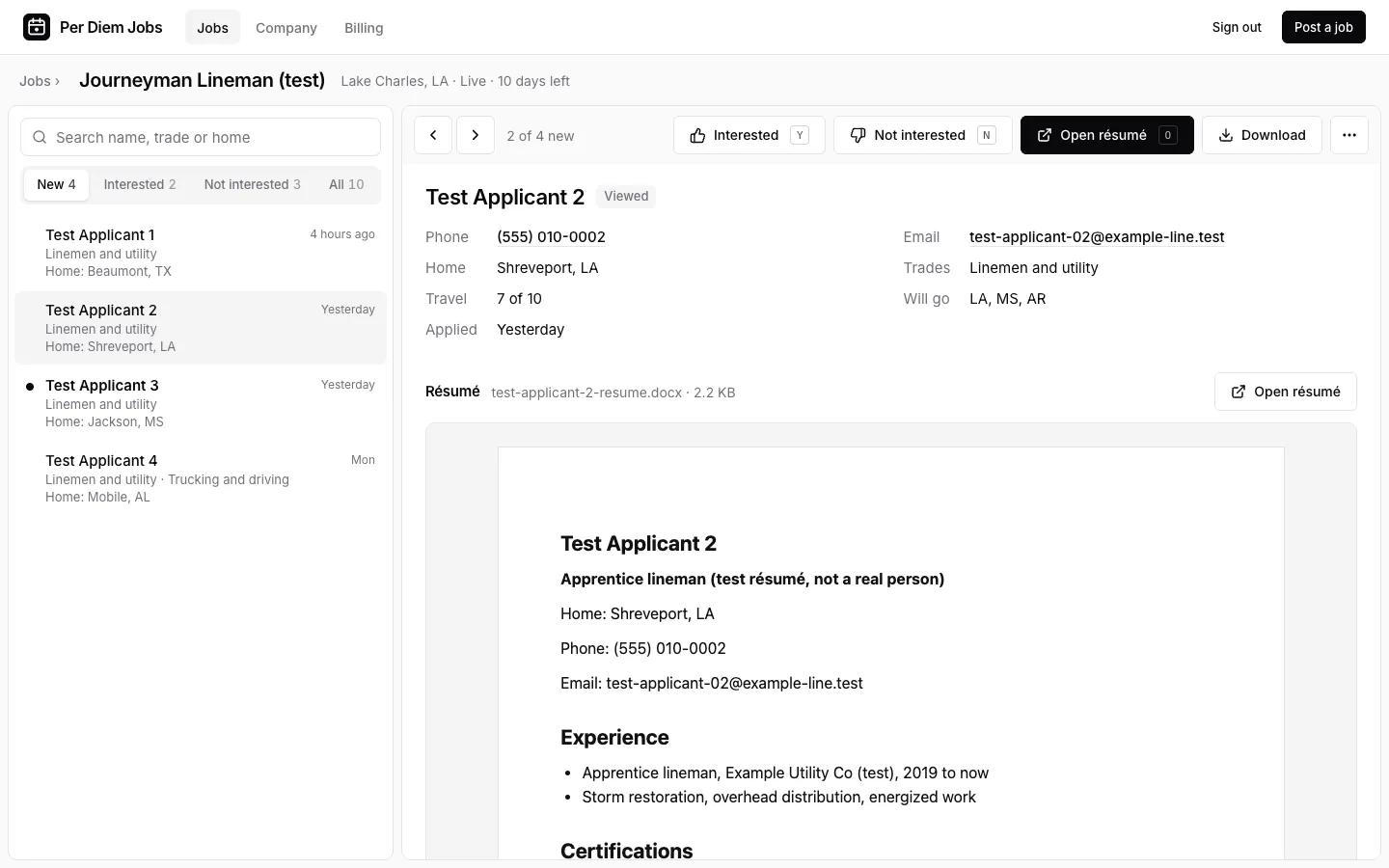
Interested or not
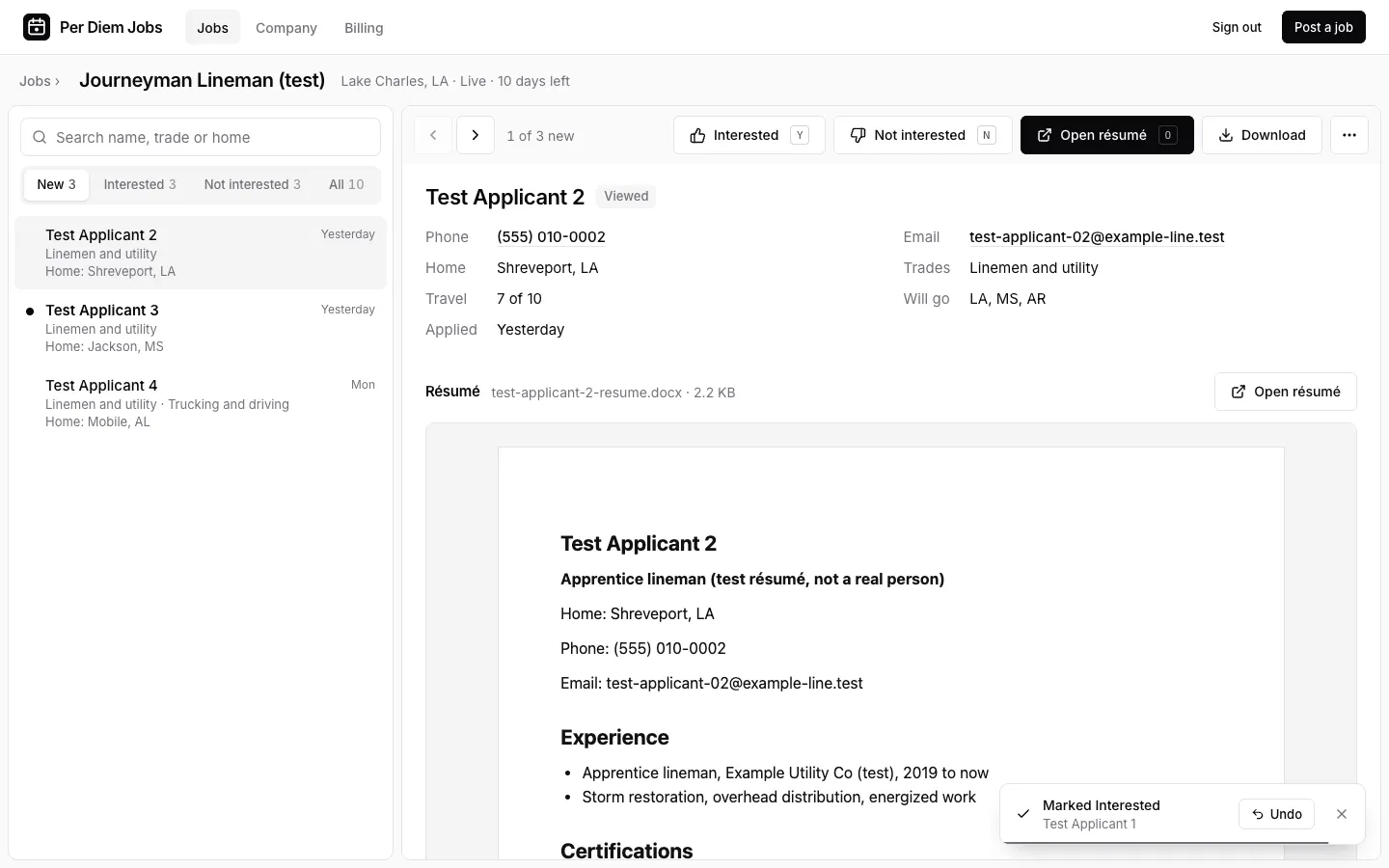
Mark each applicant Interested or Not interested and the next one opens.
Pricing
Starter
$18.99a month
1 live job at a time
Email us for StarterCrew
$49a month
5 live jobs at a time
Email us for CrewFleet
$99a month
15 live jobs at a time
Email us for Fleet
Every plan includes
- Pay range and per diem on every post
- Listed above imported jobs
- Applicants arrive with résumés
- 30-day posts that renew while the plan is paid
Self-serve checkout is almost ready. Starter is $18.99; Crew and Fleet prices are final when it opens. Until then, email hello@perdiemjobs.org and we’ll set up your first post with you.
Questions
How long does a post stay up?
30 days. While your plan is paid, the post renews with a new post date.
Why do I have to list the pay and the per diem?
Every job here pays a per diem, and the people reading it travel for work. They weigh the wage and the per diem together, so a post can’t go up without a pay range and a per diem amount.
Does someone review my post before it goes live?
No. A post on a paid plan goes live as soon as you publish it.
How do applications reach me?
In your employer dashboard. Each applicant comes with their résumé, phone number, home base and how far they’ll travel, and you mark them Interested or Not interested.
How do I cancel?
Once self-serve checkout opens, you cancel in Stripe’s customer portal. Until then, plans are set up by email, and you cancel the same way: email hello@perdiemjobs.org.